
Medical Device Power
How to Use a CPAP During a Power Outage: A Safe Backup-Power Plan
Prepare your CPAP for a power outage with a calm plan for compatible batteries, runtime, charging, relocation, humidifier water, and emergencies.
Save to Pinterest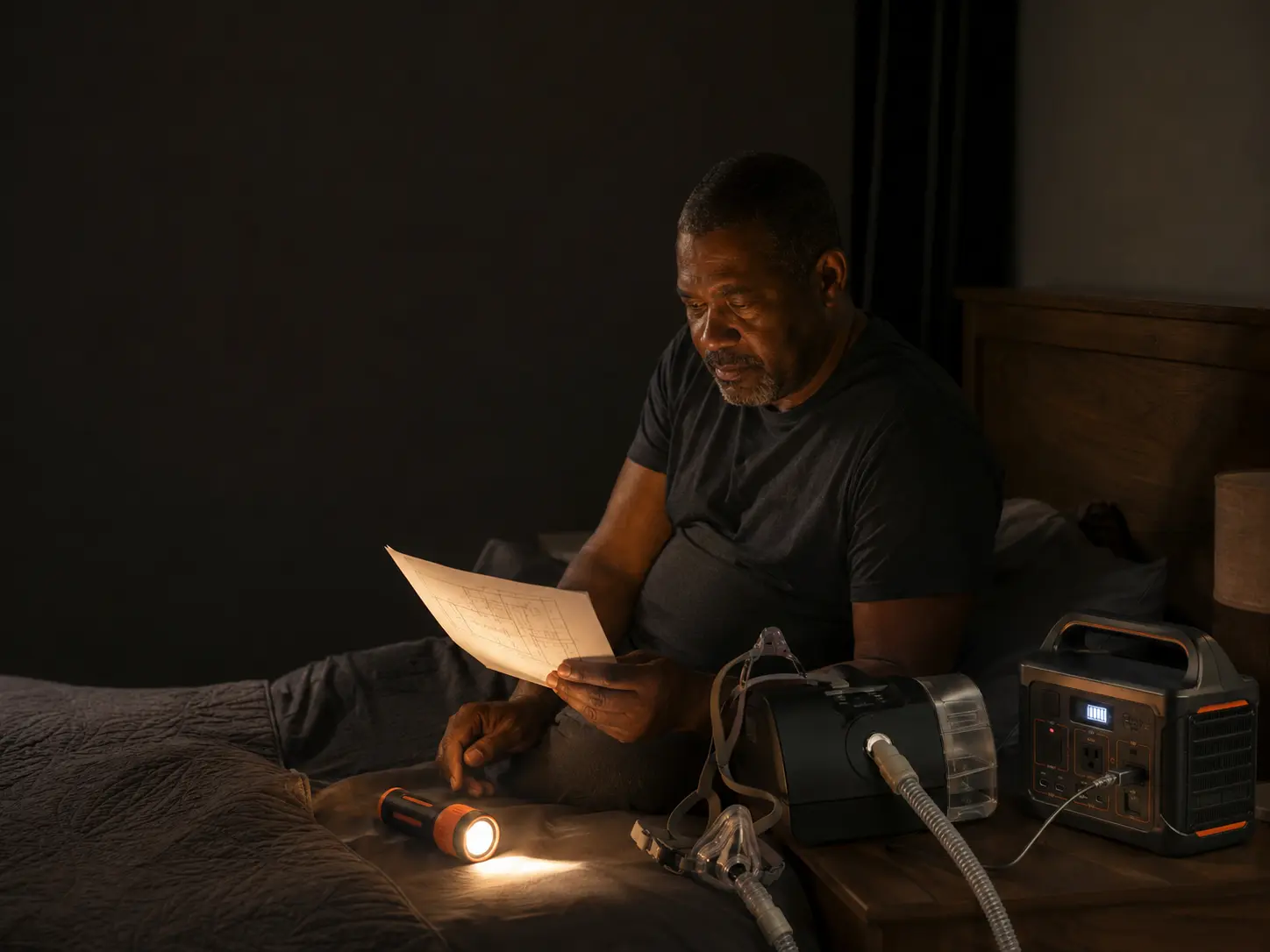
A power outage can stop a plug-in CPAP machine without warning. The safest response is not a last-minute cable, an untested battery, or a promise that the utility will restore power first. It is a device-specific plan created with your sleep clinician, equipment supplier, manufacturer instructions, a compatible backup-power option, and a place to relocate if the outage lasts longer than the backup.

Written by Coach Dex
Practical guidance, checked against primary sources
Coach Dex is the founder and author behind SWC. Safety-sensitive guidance is checked against current government, public-safety, utility, or manufacturer information before publication.
Start with the exact machine, not a generic CPAP battery
Write down the manufacturer, model, serial number, prescribed settings, power-supply model, equipment supplier, sleep clinic, and manufacturer support number. Photograph the machine label and every connector. Keep the manual and the manufacturer battery guide with the outage kit. Two machines that look similar may require different voltage, connectors, adapters, or power supplies.
Ready.gov advises people who use electrically powered medical equipment to talk with a health care provider about keeping it running during an outage. Ask your clinician or equipment supplier which backup options are approved for your exact machine and whether your health history changes how quickly you should relocate or seek medical help.
- Do not change prescribed pressure or therapy settings to save power
- Do not use an improvised cable, reversed connector, or unapproved voltage converter
- Do not assume a CPAP setup is appropriate for a BiPAP, bilevel device, oxygen concentrator, or ventilator
- If your device supports data cards, modems, alarms, or heated accessories, ask which functions continue on backup power
Choose the backup-power path your machine supports
A device-specific CPAP battery, an approved direct-current cable connected to a compatible power station, or an uninterruptible power supply may be possible. They are not interchangeable. Some products provide automatic transfer when household power fails; others require you to unplug the CPAP from the wall and connect it manually. Some products allow pass-through charging and some do not.
Before buying anything, confirm the output voltage, connector, required adapter, continuous power rating, automatic-transfer behavior, charging time, storage temperature, expected battery life, and whether the manufacturer approves the setup. A large capacity number on a product page does not prove compatibility or a full night of operation.
- Device-specific battery: usually the simplest compatibility question, but runtime and cost vary
- Portable power station: may support other essentials, but AC inverter losses and idle draw can shorten runtime
- UPS: may transfer automatically, but many computer-style units provide only short runtime and must be checked for CPAP compatibility
- Generator: can support longer outages, but it must remain outdoors and far from doors, windows, and vents; never use one in a home, garage, porch, or carport
Estimate runtime without trusting a one-number promise
Runtime changes with the machine, prescribed pressure, mask leak, humidifier, heated tubing, altitude, battery age, temperature, cable type, and whether power is converted from battery DC to household AC. The wattage printed on a power supply may be a maximum input value rather than what the CPAP draws all night, so a simple label calculation can be misleading.
Use the manufacturer battery guide or runtime chart for your exact model and proposed connection. Ask the supplier to help you choose a target that covers your normal sleep period plus enough reserve to wake, communicate, and move to the backup location. If you use humidification or heated tubing, ask whether those comfort features can be reduced safely during an outage; never alter prescribed therapy pressure or disable a medically necessary function.
- Charge the backup fully before a forecast event and after every test or use
- Label the expected setup and connection order in plain language
- Recheck capacity as batteries age and after storage in very hot or cold conditions
- Keep a second plan for an outage that lasts longer than the battery
Test the whole setup before the lights go out
A battery that turns on is not yet a working CPAP plan. During the day, in a calm setting, connect the exact machine, approved cable or power supply, humidifier and tubing configuration you expect to use. Confirm the CPAP starts normally, displays the correct settings, and does not show a power or equipment error. Follow the manufacturer instructions for any self-test.
Practice the transfer from wall power to backup power and time how long it takes. If the product claims UPS or automatic-transfer operation, verify that feature exactly as the manufacturer directs. Teach one support person how to connect the setup, read the charge indicator, find the backup destination, and contact the equipment supplier. Recharge everything immediately afterward.
- Keep the CPAP, battery, approved cable, power supply, manual, and flashlight together
- Use a large-print connection card or tactile labels if low vision or limited dexterity affects setup
- Do not create a trip hazard with cords in a dark bedroom
- Retest on the schedule recommended by the battery manufacturer and before seasonal storm risks
Plan what happens if power fails while you are asleep
A standard plug-in CPAP will stop when it loses power unless an approved backup system takes over. Mask safety features and automatic-transfer behavior vary, so do not assume every device or mask responds the same way. Ask the equipment supplier what you should expect from your exact machine, mask, and backup system and whether an alarm or separate outage alert is appropriate.
Keep a flashlight, phone, glasses, mobility aid, shoes, and the connection card within reach. If you take medicine that makes you difficult to wake, have limited mobility, live alone, or use additional breathing equipment, discuss the nighttime outage plan with your clinician and support network in advance. Call 911 for immediate danger or trouble breathing; do not use a website checklist as emergency medical care.
Build a relocation plan before the battery runs low
Backup power buys time; it does not make the home safe indefinitely. Choose two places where the CPAP can be used safely, such as an accessible family home, hotel, cooling or warming location, shelter that confirms it can support the need, or a medical facility when directed by a clinician. Verify accessibility, transportation, electrical outlets, pet rules, and whether the destination remains open during the same hazard affecting your home.
Sign up for utility outage alerts and ask whether your area offers a medical-needs, accessibility, or battery-support program. These programs vary and should not replace backup power or relocation. Utilities including Duke Energy state that severe weather can prevent constant service or priority treatment, so build the plan around what your household controls.
- Decide the battery percentage or outage duration that triggers relocation
- Keep transport ready for the CPAP, battery, mask, tubing, water chamber, medications, documents, and mobility equipment
- Choose one person who can drive or help arrange accessible transportation
- Tell an out-of-area contact where you are going and when you arrive
Protect the CPAP from water, heat, and unsafe power
Keep the machine, battery, and power connections dry and off a damp floor. FDA guidance says not to use electrical equipment when the device or cord is wet. Heat, humidity, and unstable voltage can also affect medical devices. After power returns, inspect the equipment, confirm settings and alarms, and follow the manufacturer self-test or restart instructions before use.
If the CPAP or power supply was wet, dropped, overheated, smelled burned, sparked, or behaves unusually, turn it off and contact the manufacturer or equipment supplier. Do not open the device or attempt an electrical repair. If a boil-water or do-not-use advisory affects humidifier water, follow the machine manufacturer and local health department rather than improvising.
- Never place a battery or power station on bedding or block its vents
- Never charge a damaged, swollen, leaking, unusually hot, or recalled battery
- Never run a vehicle engine or portable generator in a garage or other enclosed or partly enclosed place
- Keep carbon-monoxide alarms working on battery backup when combustion equipment is used outdoors
Use an affordable three-layer CPAP outage plan
Start with planning before shopping. The first layer costs little: record the machine details, call the supplier, gather approved cables, turn on alerts, choose a destination, and teach a support person. The second layer is a compatible charged backup sized for the time you need to wake, respond, and relocate. The third layer is a confirmed place and transportation plan for a longer outage.
If the recommended battery is unaffordable, ask the equipment supplier, insurer, utility, local 211 service, independent-living center, aging agency, disability organization, or local emergency management whether loans, rebates, medical-baseline programs, or community resources exist. Availability varies, and no program should be treated as guaranteed until enrollment and support are confirmed.
Your one-page CPAP outage card
Keep this information with the machine and give a copy to the person most likely to help. Review it after a machine, mask, prescription, phone number, address, caregiver, or battery changes.
- CPAP manufacturer, model, serial number, prescribed settings, and power-supply model
- Approved battery or power station, approved cable, connection steps, and last test date
- Expected runtime range for the exact setup and the charge level that triggers relocation
- Sleep clinic, equipment supplier, manufacturer support, pharmacy, utility, 211, and emergency contacts
- Primary and backup powered destinations, transportation, accessibility needs, and pet plan
- Clear instruction: call 911 for immediate danger or trouble breathing
Common questions
Medical Device Power FAQ
What happens to a CPAP machine when the power goes out?
A standard plug-in CPAP stops when household power is lost unless a compatible backup system takes over. Automatic transfer and mask safety features vary by machine, battery, and mask. Ask your equipment supplier what your exact setup does and practice the approved transfer before an outage.
Can I plug my CPAP into any portable power station?
No. Confirm the exact voltage, connector, adapter, continuous output, inverter type, and manufacturer approval for your CPAP model. An incorrect or improvised connection can damage equipment or fail when needed. Use the machine manual, manufacturer battery guide, and equipment supplier.
How big a battery do I need to run a CPAP all night?
There is no universal battery size. Runtime depends on the CPAP model, prescribed pressure, humidifier, heated tubing, mask leak, connection method, battery age, and temperature. Use the manufacturer runtime guide for the exact setup and include enough reserve to respond and relocate.
Will a UPS automatically keep my CPAP running?
Only if the specific UPS provides the required transfer behavior and is compatible with the CPAP and its power supply. Many computer-style UPS units have limited runtime, and some batteries do not support pass-through or automatic switching. Verify the feature and test it exactly as directed.
Should I turn off the CPAP humidifier to save battery power?
Humidifiers and heated tubing can change power use, but do not guess. Ask the equipment supplier whether optional comfort features can be reduced safely for your exact machine. Never change prescribed pressure or disable a medically necessary function to extend runtime.
Does a utility medical-needs program guarantee faster power restoration?
Do not assume it does. Programs may offer notices, billing support, referrals, or battery assistance, but rules vary and severe weather can limit service and restoration priorities. Enroll when eligible while maintaining your own compatible backup power and relocation plan.
When should a CPAP user leave home during an outage?
Set the decision with your clinician and household plan before the outage. Consider remaining battery, expected outage length, heat or cold, transportation, mobility, other medical equipment, and the destination. Leave earlier if conditions are becoming unsafe, and call 911 for immediate danger or trouble breathing.
Do this today
Your next three steps
- 1Photograph your CPAP label and call the equipment supplier for the approved backup-power options
- 2Choose a powered backup destination and write the charge level or outage duration that means it is time to leave
- 3Practice the complete setup with one support person, then recharge the battery and date the outage card
SWC provides general education. During an active emergency, follow local officials and the appropriate authorities.